How Writing Progress Tools Boost Productivity

Tackling a writing project without tracking your progress can lead to missed deadlines and lost motivation. Writing progress tools solve this by letting you measure word counts, session durations, and milestones. This keeps you accountable and helps you stay on track. Tools like Revise provide real-time feedback, set daily goals, and even analyze your writing style. Here's why they matter:
- Accountability: Track daily word counts to monitor progress and stay honest about productivity.
- Motivation: Visual tools show how close you are to your goals, encouraging consistent effort.
- Better Time Management: Discover your most productive hours and plan writing sessions accordingly.
- Burnout Prevention: Spot patterns like declining word counts to address issues early.
Revise offers features like AI editing, style customization, and productivity metrics, starting with a free plan (5,000 words/month) or paid plans for higher usage. Whether you're writing a book or managing smaller projects, these tools help you work smarter and finish faster.
Benefits of Tracking Writing Progress
Stay Motivated by Watching Your Progress
There’s something incredibly satisfying about seeing your word count climb - it’s a clear sign that you’re moving forward. This aligns with the Goal-Gradient Hypothesis, first introduced in 1932 and later backed by research in 2006, which shows that motivation naturally ramps up as you approach your goal. Tools like visual word count charts tap into this principle, giving you a concrete view of how much you’ve accomplished and how close you are to the finish line.
Interestingly, tracking your progress can reveal that your feelings don’t always match reality. Even on days when you feel stuck or uninspired, the data often shows that you’re still making steady progress. This disconnect is a reminder that productivity doesn’t always depend on how inspired you feel - it’s about showing up and putting in the work.
Improve Time Management and Build Strong Writing Habits
Tracking your writing progress can uncover patterns you might not notice otherwise. For example, you might find that your most productive time is early in the morning, like 6:00 AM, which allows you to schedule your toughest writing tasks during those peak hours. By consistently tracking, you create a routine that builds momentum. Knowing your typical writing pace - whether it’s 500 or 1,500 words per hour - helps you set realistic daily goals and plan effectively for deadlines. Instead of vague goals like “write more,” you can set precise targets based on your actual performance. This kind of structure not only keeps you on track but also helps prevent overloading yourself.
Avoid Burnout and Work Smarter
Tracking your progress can also act as an early warning system for burnout. If you notice a pattern of missed writing sessions or a drop in word count over several days, it might signal that something’s off - perhaps you’re not getting enough sleep or dealing with stress. Catching these signs early allows you to make adjustments before burnout takes hold, helping you maintain steady productivity over the long haul.
Tools like Revise can also streamline your process by logging your sessions and tracking improvements, so you can focus more on writing and less on setup. By following the Notice, Reflect, Adapt cycle - where you take a moment after each session to assess what worked and what didn’t - you can fine-tune your approach without adding much extra effort. Tracking not only highlights your progress but also helps you make immediate tweaks to improve efficiency and stay on course.
How Revise Tracks Your Writing Progress
Track Changes and Style Adjustments
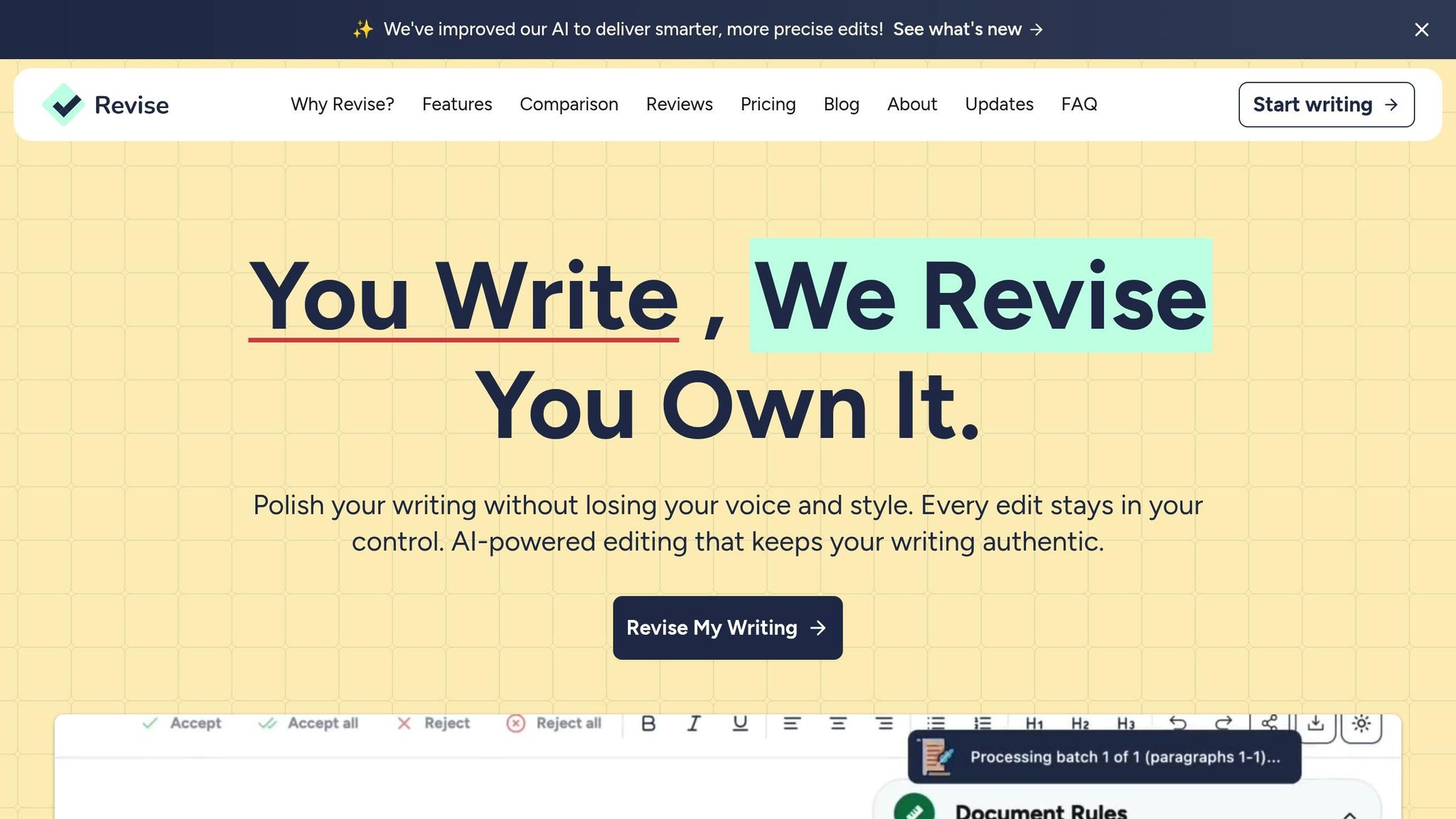
Revise gives you full control over your edits by allowing you to review, accept, or reject each suggestion. This hands-on approach turns editing into a learning experience, helping you understand what’s being changed and why. Every revision becomes a chance to sharpen your skills.
The tool also lets you fine-tune the level of editing based on what you need. Whether you’re looking for minor tweaks to refine your text or a complete rewrite to overhaul a draft, Revise adjusts to your preferences. You can even create custom style rules for different types of writing - like emails, blog posts, or manuscripts - ensuring the tool supports your unique voice and goals.
Brainstorming and Writing Logs
Revise’s Document Chat acts as your personal editor, ready to help whenever you need it. Storm Silva, a history professor who uses Revise for both creative and academic writing, describes it as:
The Document Chat... is like interacting with your own editor.
This feature is perfect for brainstorming ideas, breaking through writer’s block, and getting instant feedback - all without leaving your document.
Revise also keeps track of your writing sessions automatically, so you can focus entirely on your work. Plus, you can switch between different AI models depending on whether you need more creativity, precision, or speed.
Personalized Growth and Progress Tracking
The more you write with Revise, the better it gets at understanding your style. By analyzing your edits, tone, and structure, it adapts to match your unique voice. As Silva explains:
My writing has gotten better as I strive to have Revise do less and less for me.
Revise offers flexible plans for writers of all levels. The Pro plan, priced at $8 per month, includes up to 200,000 words and access to premium AI models. For those with higher demands, the Ultra plan, at $20 per month, supports up to 2,000,000 words and unlocks advanced models and beta features. Even the free tier lets you explore the service with up to 5,000 words per month, giving you a chance to experience its tracking and learning tools before committing.
Next, discover how to use these features to maximize your productivity with Revise.
How to Use Revise to Boost Productivity
Set Goals and Customize Style Rules
Start by defining clear goals for your project and tailoring Revise to fit your specific needs. Use the Goals sidebar to keep track of real-time scores for spelling, grammar, style, and readability as you write. The color-coded system makes it easy to see where you stand - green means you're on target, while yellow signals areas that need improvement.
Revise offers over 30 document types, including Academic Essay, Fiction, and Marketing Text, so you can adjust target scores to match your genre and audience. You can also create custom style rules to maintain your unique voice. Set tone preferences, add specific prompts to guide the AI, and choose the level of editing intensity, from minor tweaks to full rewrites.
Need actionable feedback? Click the "i" icon on any Goal card to get detailed suggestions you can implement right away. This feature translates abstract scores into practical steps, making it easier to improve your work.
Track Your Writing Sessions and Edits
Revise's change tracking feature lets you review every suggested edit before deciding to accept or reject it, giving you full control over your document's evolution. This ensures that all changes align with your vision.
For brainstorming or drafting, try the voice-to-text feature, which converts your spoken words into text. This is perfect for capturing ideas quickly without losing your train of thought. Plus, Revise logs these sessions automatically, helping you spot patterns in your productivity.
Want to maximize your efficiency? Use session tracking to identify your peak productivity times. Over time, you'll discover when you're most focused - whether that's during a specific time of day or within a certain session length. Plan your most challenging writing tasks during these high-energy periods for better results.
Analyze Your Data to Improve
Once you've tracked your sessions and edits, dive into the data to find trends and refine your approach. A weekly review of your logs can help you pinpoint what worked, what didn’t, and where you improved. If a yellow goal indicator pops up, run related reports - like Style or Grammar - to get targeted fixes.
For a deeper analysis, use reverse outlining by summarizing the main idea of each paragraph. This technique helps you spot tangents, redundant ideas, or gaps in your logic.
If you notice a dip in productivity, compare your output with external factors like sleep or stress levels. Identify what’s pulling your focus - those "distraction gremlins" that lead to procrastination - and tweak your routine to eliminate them.
As Sarah Gribble wisely puts it:
The key to writing is momentum. And the key to momentum is routine.
sbb-itb-df9dc23
The Ultimate Writer's Word Count Tracker in Google Sheets
Measure Your Productivity Gains with Revise
Revise Writing Tool Pricing Plans Comparison
Key Metrics to Track
Tracking your progress effectively involves keeping an eye on both numerical and qualitative indicators. Start by monitoring your word counts daily, weekly, and monthly to assess your momentum toward completing your manuscript. Pay attention to how productive your sessions are by comparing the time spent with the amount of work produced. For instance, a 90-minute session in the morning might yield more words than a three-hour evening session. Identifying these patterns can help you focus on your most productive periods. Additionally, status reports can help you measure how well you're sticking to deadlines and achieving daily word count goals, like hitting an 80% success rate.
For qualitative improvements, use Revise's Goals sidebar to track grammar accuracy and readability scores. You can also compare your total word count to the final manuscript to determine how much revision work was needed along the way.
Compare Revise Plans for Your Needs
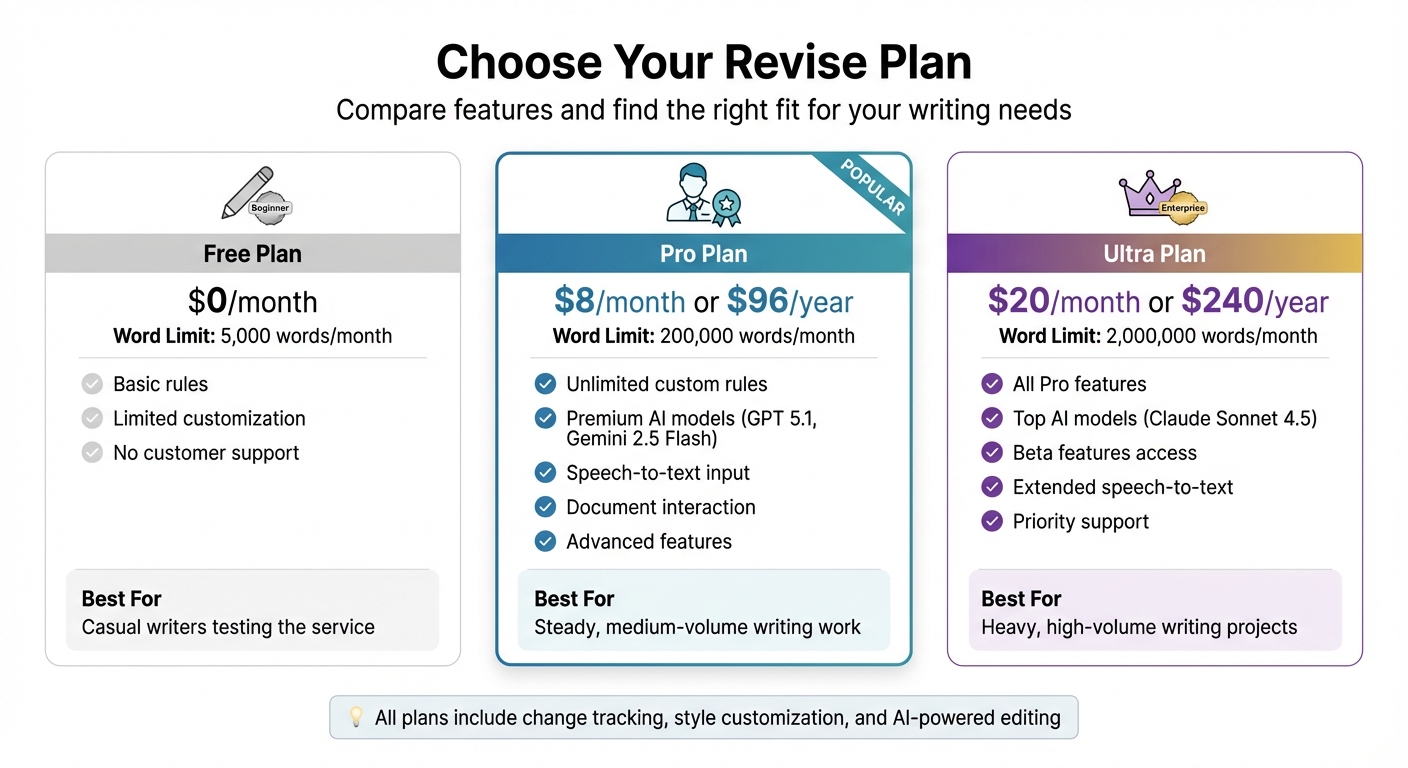
Once you’ve nailed down your productivity metrics, it’s time to select the Revise plan that aligns with your writing goals. Whether you're a casual writer, a steady creator, or a high-volume professional, Revise offers plans tailored to different needs.
- Free Plan: Perfect for casual writers, this plan allows up to 5,000 words per month. It provides access to basic rules, but customization options and customer support are limited.
- Pro Plan: At $8 per month (or $96 billed annually), this plan is ideal for those with medium-volume writing needs. It offers a 200,000-word limit, unlimited custom rules, and premium features like advanced AI models (including GPT 5.1 and Gemini 2.5 Flash), speech-to-text input, and the ability to interact with your documents.
- Ultra Plan: Designed for high-output professionals, this plan costs $20 per month (or $240 annually) and supports up to 2,000,000 words. It includes access to top-performing models like Claude Sonnet 4.5, beta features, extended speech-to-text input, and priority support.
Here’s a quick breakdown of the plans:
| Plan | Monthly Price | Annual Price | Word Limit | Best For |
|---|---|---|---|---|
| Free | $0 | $0 | 5,000 words | Casual writers testing the service |
| Pro | $8 | $96 | 200,000 words | Steady, medium-volume writing work |
| Ultra | $20 | $240 | 2,000,000 words | Heavy, high-volume writing projects |
Conclusion
Writing progress tools don’t just help you stay on track - they build momentum, prevent burnout, and keep those deadlines in check. In fact, research shows that AI-powered writing assistance can cut task time by 40% while improving output quality by 18%. That’s not just a minor upgrade - it’s a game-changer for anyone looking to produce polished, professional content efficiently.
Take Revise, for example. It brings together key productivity features like granular change tracking, custom style rules, and in-document brainstorming, all in one place. Over time, it adjusts to your unique needs, making your workflow even smoother. As history professor Storm Silva put it:
My writing has gotten better as I strive to have Revise do less and less for me.
This speaks volumes about how it encourages better habits while delivering instant productivity boosts.
Whether you’re crafting emails, blog posts, or full-length manuscripts, using Revise to track your progress gives you valuable insights into your most productive moments. By tapping into your peak efficiency, you’ll tackle projects faster and with less stress. Combining AI assistance, personalized learning, and detailed progress metrics, Revise addresses both the practical hurdles and mental roadblocks that can slow writers down. It’s not just about working faster - it’s about working smarter.
Ready to give it a try? Start with Revise’s free plan to explore precise progress tracking, or upgrade to the Pro plan for $8 per month, unlocking unlimited custom rules and 200,000 words. The time you’ll save and the quality you’ll gain make it a no-brainer, leaving you free to focus on what you do best - creating.
FAQs
How can writing progress tools help prevent burnout?
Writing progress tools are great for keeping burnout at bay by helping you stay productive without overdoing it. They encourage self-awareness by letting you track your progress, set achievable goals, and keep tabs on your workload. This way, you can spot when you're pushing yourself too hard and make adjustments to maintain a healthier balance between getting things done and taking care of yourself.
These tools also help you build steady habits, making the entire writing process feel less overwhelming. By breaking big projects into smaller, measurable steps, they give you a sense of accomplishment at every milestone, keeping you motivated and lowering stress. In short, they create a structured workflow that not only boosts creativity but also supports your mental well-being.
How does Revise help writers stay productive?
Revise boosts productivity with features that simplify and enhance the writing process. One standout is change tracking, which lets you keep tabs on edits and revisions without hassle. Pair that with custom style rules, and you’ve got a tool that ensures your writing stays consistent in tone and voice. Need to adjust the emotional feel of your content? The tone control feature helps fine-tune it to match your intent. And for those who prefer speaking over typing, voice-to-text conversion transforms your spoken words into written drafts in no time.
Another handy addition is in-document brainstorming, which lets you develop ideas and polish your content all in one place. Revise also learns from your preferences, offering tailored editing suggestions to make revisions quicker and smoother. Together, these tools keep you on track, help you meet deadlines, and make creating high-quality content feel like second nature.
How does tracking your writing progress help you manage your time better?
Tracking your writing progress can be a game-changer when it comes to managing your time. It gives you a clear sense of what you've achieved and how long specific tasks take. Whether you're keeping an eye on word count, logging hours spent, or marking off milestones, this habit helps you set goals and deadlines that match your natural workflow.
It also reveals patterns in your productivity. Maybe you write best in the morning or notice certain tasks where procrastination creeps in. Armed with this knowledge, you can tweak your schedule or approach to stay on track, hit deadlines, and sidestep the chaos of last-minute crunches. In short, tracking your progress keeps you organized, focused, and motivated to reach your writing goals.